Speech Transcriber
Talk, and your words get typed. Works in any app: email, texts, ChatGPT.
- Private: stays on your computer
$8/monthFree for family & friends
-
See you at the park at 5!

Press Right Alt and talk
-

Right Alt again
-
See you at the park at 5!

It types what you said
On a Mac the key is Right ⌘
Works in any app
 Gmail
Gmail Google Docs
 Messages
 Word
Word Outlook
 Teams
Teams Messenger
 WhatsApp
 Discord
 Slack
Slack Skype
Skype ChatGPT
- Any app
Download & install
Install
Open the file
Double-click it in Downloads.
Blue warning? It's OK
Click “More info”, then “Run anyway”. Free apps get this once.
Install, then wait once
The first time, it downloads its speech model (a few minutes).
Talk
Press Right Alt, talk, press it again. The app is the mic icon by the clock.
Install · about 2 minutes, only once
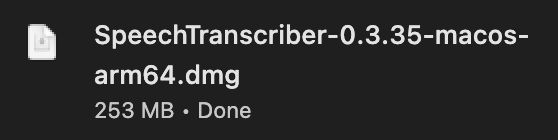
Open the download
When it says Done, click it.
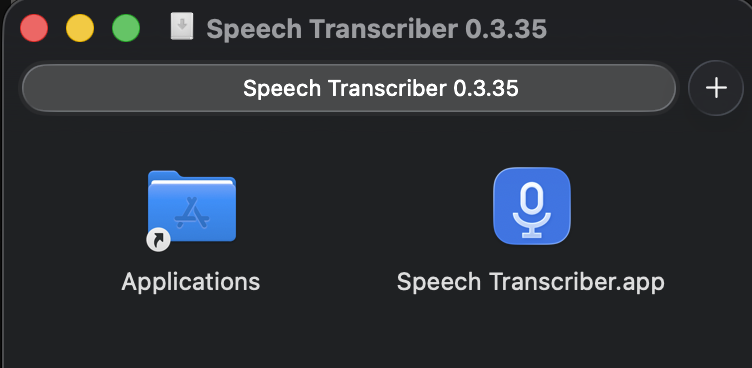
Drag the app onto Applications
Drag the blue mic icon onto the Applications folder.
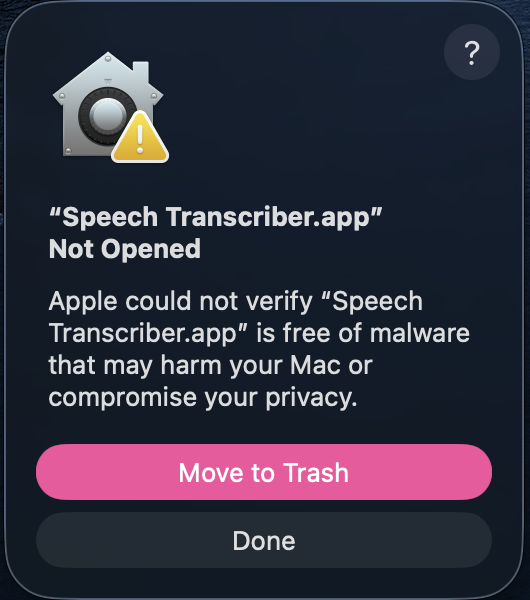
Open Speech Transcriber, then click Done
Open it from Applications. The Mac says “Not Opened”: click Done, not “Move to Trash”. Every free app from outside the App Store gets this.
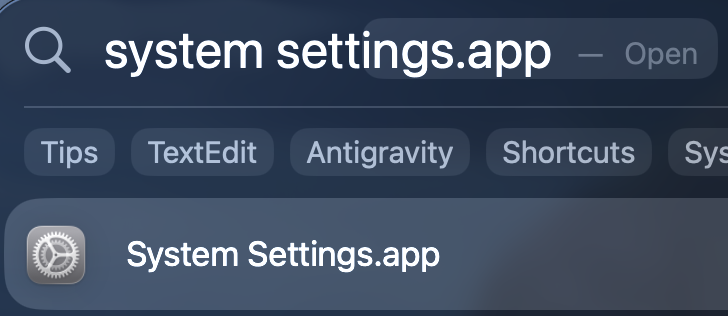
Open System Settings
Press ⌘ Space, type system settings, press Return.
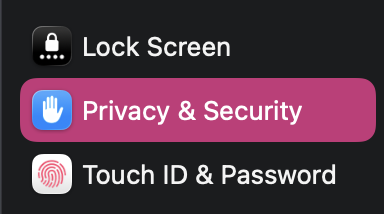
Click Privacy & Security
In the list on the left.
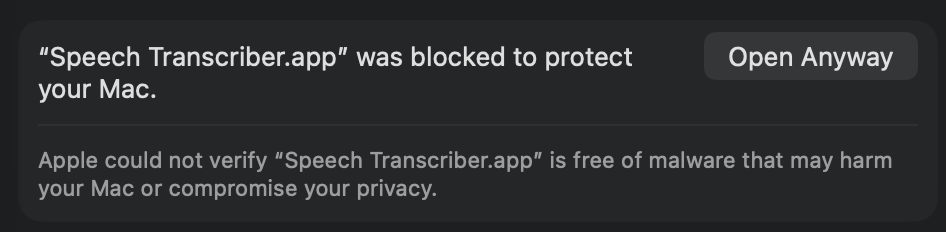
Scroll all the way down, click “Open Anyway”
Next to “Speech Transcriber was blocked”. Then use Touch ID or your password.
Open Speech Transcriber again
From Applications. If it asks, click “Open Anyway” once more.
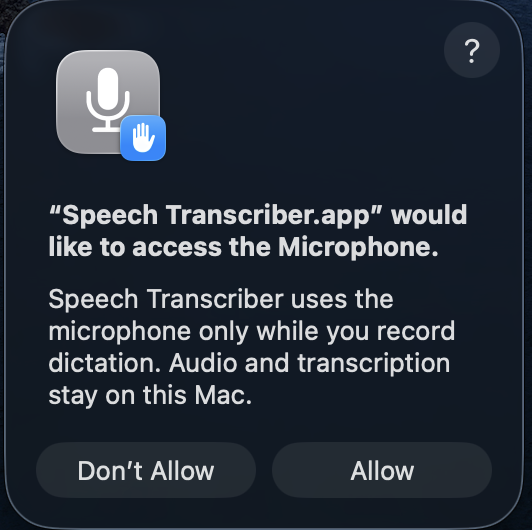
Allow 3 things
Microphone: click “Allow”. Input Monitoring and Accessibility: click “Open System Settings”, then switch Speech Transcriber on.
Talk
Press Right ⌘, talk, press it again. There's no window: the app is a mic icon at the top right and a round bubble on your screen. No icon? The camera notch can hide it; Right ⌘ still works.
Not for phones, tablets, Chromebooks or older Intel Macs.
Check the download (optional)
Each file has a fingerprint (SHA-256). If yours matches, it's exactly the file Tyler published.
PowerShell: Get-FileHash $HOME\Downloads\SpeechTranscriber-Setup-*.exe
Terminal: shasum -a 256 ~/Downloads/SpeechTranscriber-*.dmg
What's new
-
0.3.36 Oct 16, 2026
- Mac: the first run asks for the microphone up front and never freezes.
- Updates are one click: the app installs the new version and reopens by itself.
- “Send feedback” in the menu goes straight to Tyler.
-
0.3.35 Oct 15, 2026
- The app tells you when an update is ready: click the message to install it.
-
0.3.34 Oct 15, 2026
- Talk while you play games: no more 30-second waits.
- Faster typing: uses your graphics card. NVIDIA owners can get an even faster download.
- No stray space at the start of an empty message box (Google Messages).
- The start sound plays even when the computer is busy.
-
0.3.33 Oct 14, 2026
- “Paste last dictation” puts it right where you were typing.
- Text apps get a relaxed chat style: no capital at the start, no period at the end.
- A green tick shows when your words are typed.
-
0.3.0 Oct 13, 2026
- First version for family and friends.
Something not working?
- Nothing appears after talking
- Click into a text box first. If it says Copied, press Ctrl V (Mac: ⌘ V).
- Lost what you said
- Mic icon by the clock → Recent dictations.
- The key does nothing
- Mic icon → System Check. Mac: allow Input Monitoring.
- Wrong microphone
- Mic icon → Settings → Microphone.
- Updates
- The app asks when a new version is ready. Click Yes; your settings stay.
- Still stuck?
- Text Tyler a photo of your screen.